The free plan usually isn't free for what you want to do
Search "free text to speech" and you'll find a dozen tools that will generate narration for nothing. What most of those pages don't put anywhere near the signup button is that "free" and "free to use in a video you monetize" are two different claims, and for most of these tools, only the first one is true. I build and maintain ForgePlug's own text-to-speech tool, so before I told anyone it was safe to use the output commercially, I went and actually read the terms of service for the tools people reach for first — not a summary of them, the actual pages.
Here's what's actually in those terms, what I found weaker evidence for, and why the free tier works differently for a browser-based open-model tool than it does for a cloud API.
What the free plans actually allow
| Tool | Free limit | Commercial use on free tier | After you cancel or downgrade | Signup | Where it runs |
|---|---|---|---|---|---|
| ForgePlug (Kokoro-82M) | No character limit | Yes, Apache-2.0 licensed voices | Nothing changes: Apache 2.0 is perpetual and irrevocable | No | Your browser, nothing uploaded |
| ElevenLabs | ~10,000 characters/month | No, free accounts are non-commercial only | Audio made on a paid plan keeps its commercial license; free-plan audio never had one | Yes | Their servers |
| NaturalReader (Online) | Effectively unlimited reading | No, personal use only per their FAQ | Commercial-version files stay usable after you cancel; Online audio stays personal-use only | No (basic reading) | Their servers |
| Clipchamp (Microsoft) | Unlimited exports | Likely yes, but no official page states it for TTS | No official answer found; confirm it yourself | Yes (Microsoft account) | Their servers |
If you access or use our Services free of charge, you may only use the Services for non-commercial purposes.
Audio files generated using NaturalReader Online are permitted for personal use only.
What happens to videos you already published
With ElevenLabs and NaturalReader's commercial version, rights follow the plan you were on when you generated the audio, not the plan you're on now. ElevenLabs' help center says audio generated during a paid subscription keeps its commercial license after you cancel, and NaturalReader's commercial FAQ says you may keep using files made while subscribed. So generate the audio that matters while you're subscribed. Clipchamp has no official page on this that I could find.
Clipchamp is the one I'm least sure about
Multiple secondary sources and a Microsoft Q&A community answer say Clipchamp's free-plan voiceovers can be used commercially, but I couldn't find an official Clipchamp or Microsoft page that states this directly for text-to-speech. Treat that one as "probably, but confirm it yourself" rather than a settled fact — which is a different confidence level than the other two rows, where the vendor's own terms say it plainly.
Why the free tier works this way
This isn't vendors being stingy for no reason. A cloud TTS API is paying for inference on every single character you generate, on servers they operate — giving that away for commercial use on a free account would mean subsidizing other people's monetized content indefinitely. Several of these tools also license or train voices that sound like specific real people, which carries its own legal exposure if that voice ends up in an ad or a monetized video without a commercial agreement covering it. Gating commercial rights behind a paid plan is how they manage both costs at once.
A browser-based tool running an openly licensed model doesn't have either problem. The inference happens on your device, so there's no per-character server cost to recoup. And Kokoro-82M's voices are released under Apache 2.0, a license that already permits commercial use outright — there's no separate commercial tier to gate, because the thing being gated on other platforms isn't a cost this tool has.
What I actually used, step by step
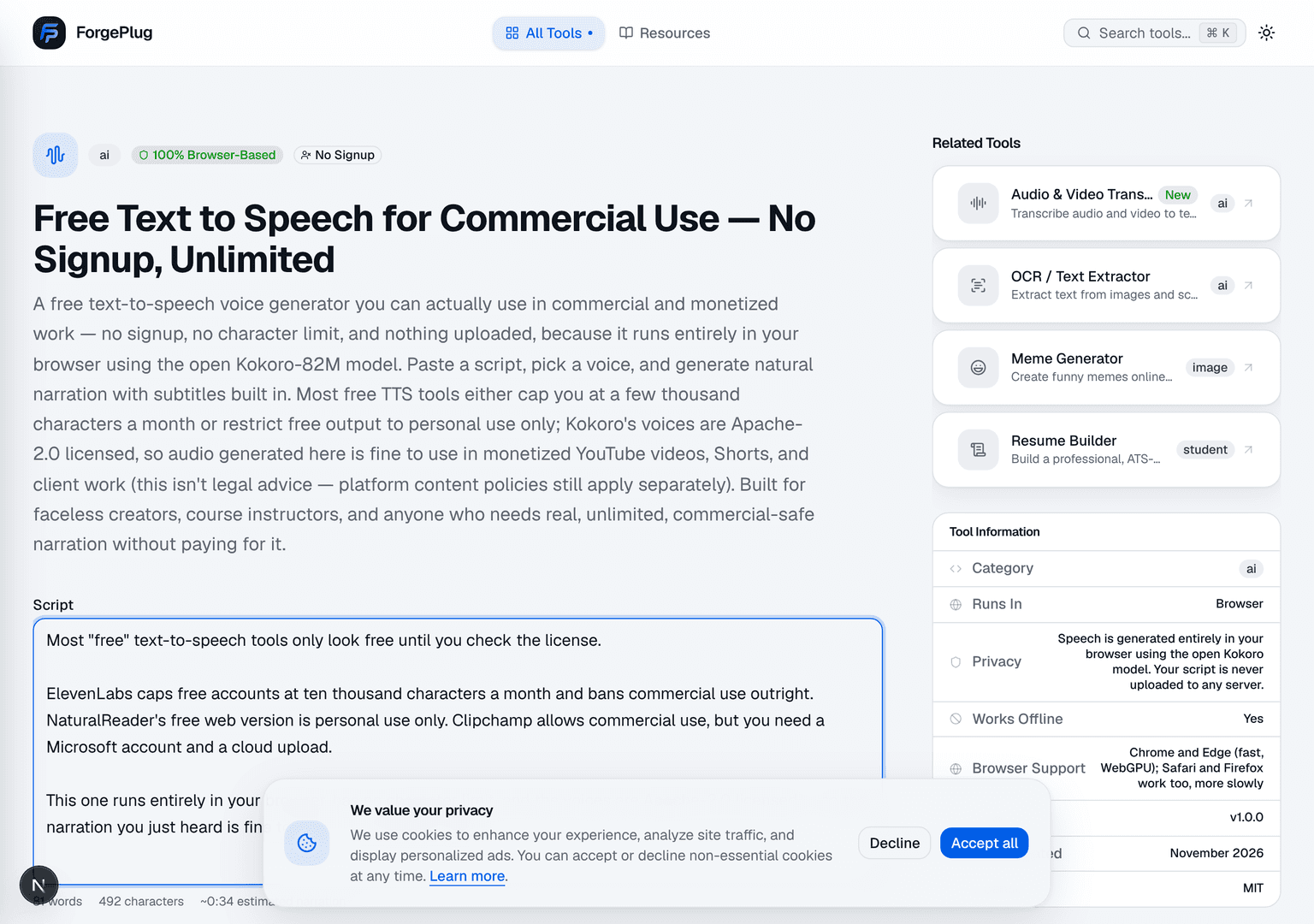
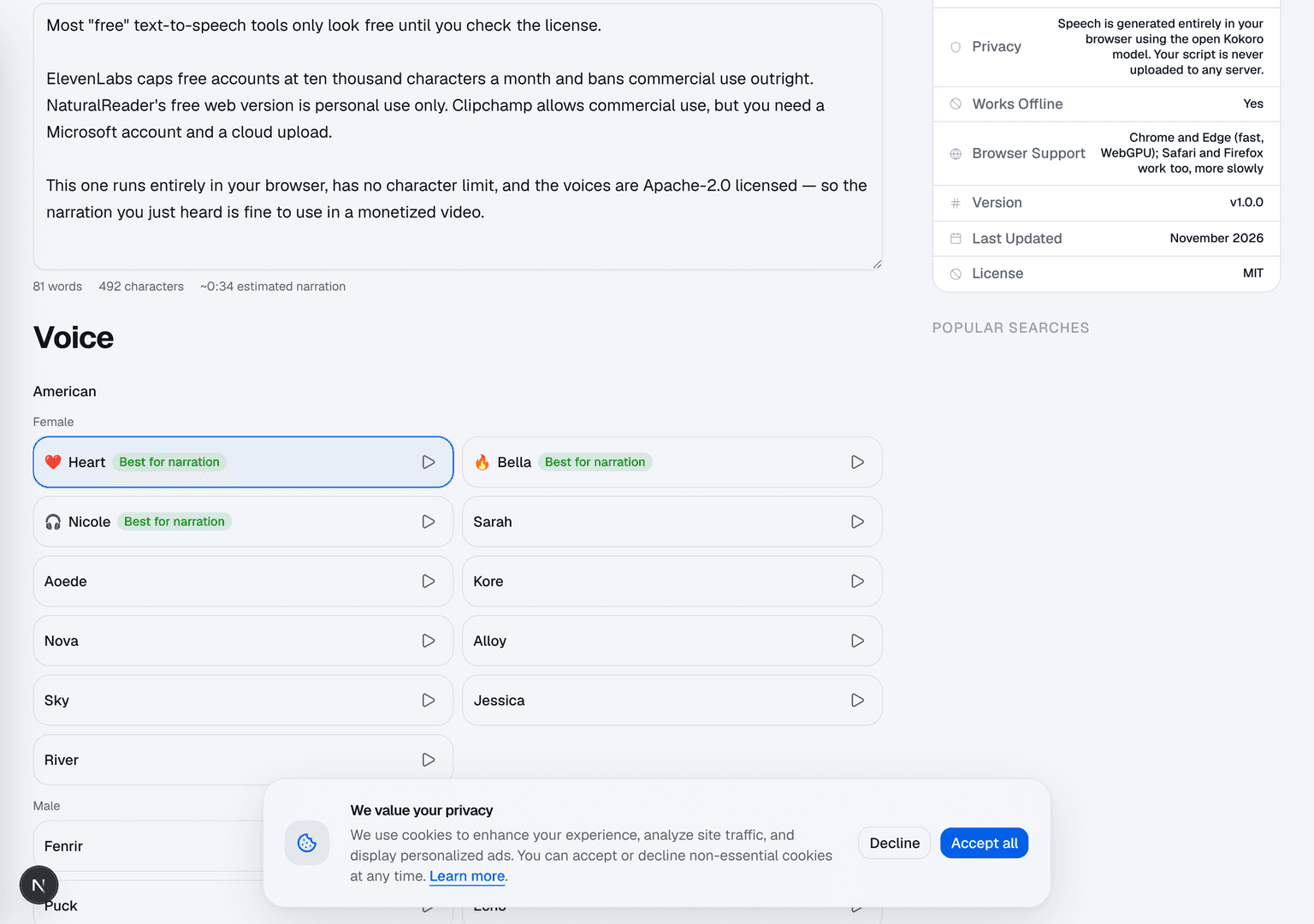
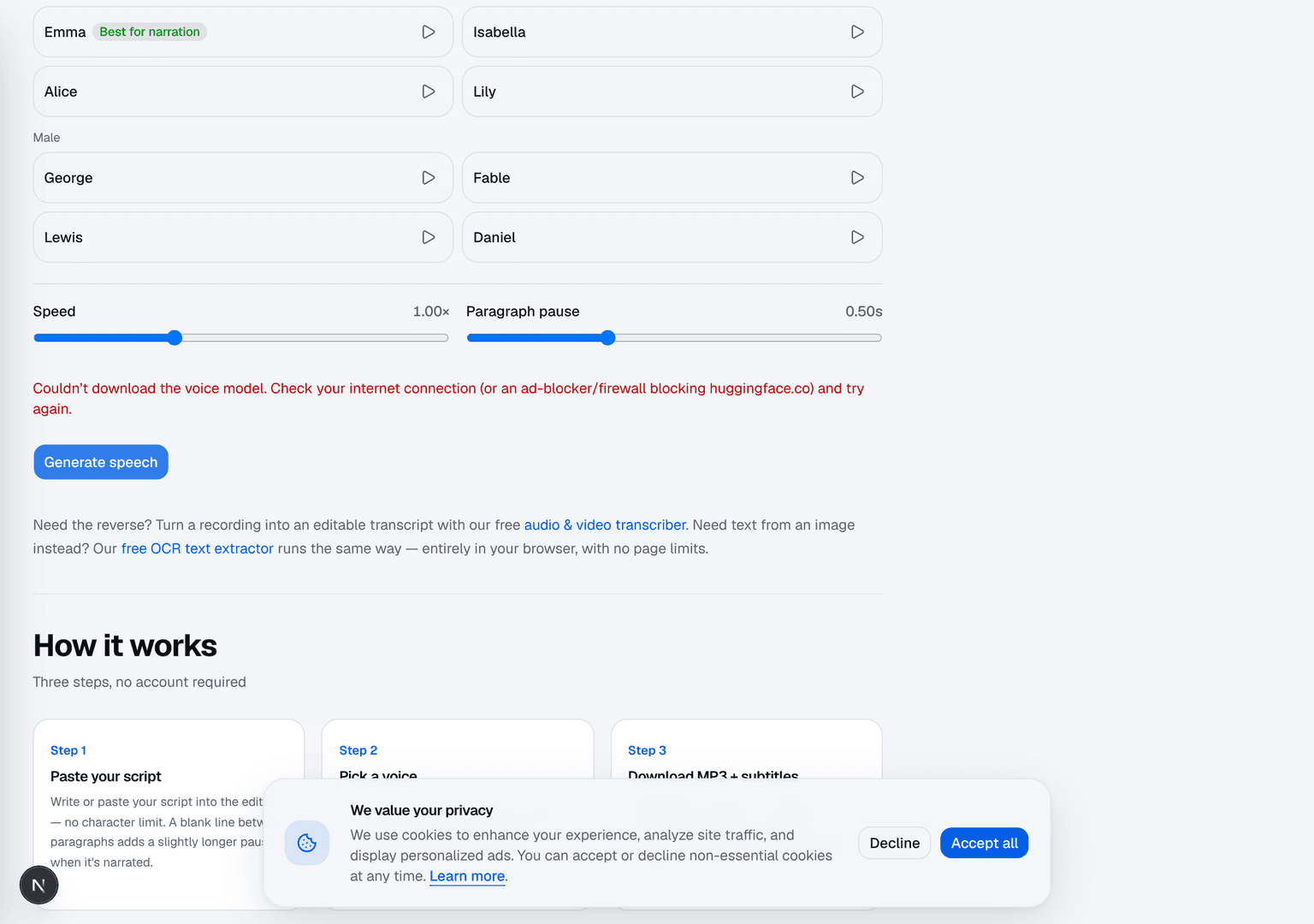
To write this honestly, I generated the narration for this section using ForgePlug's own tool rather than describing it from memory. Here's the actual flow, screenshotted as I went.
The honest catch
I'd rather say this plainly than let the comparison table oversell it. ForgePlug's tool currently only offers American and British English voices — if you need Spanish, Hindi, or any of the dozens of languages ElevenLabs supports, this isn't that tool yet. Generation also runs on your own device, so it's only as fast as your hardware: quick in Chrome or Edge with WebGPU, noticeably slower on CPU-only browsers or older machines. And the voices, while genuinely good for narration, aren't voice clones of specific people the way some paid services offer — you're picking from a fixed set, not uploading a sample of your own voice.
None of that changes the licensing answer. It's a real tradeoff between "unlimited and unambiguously commercial-safe" and "more voices, more languages, more features, behind a meter." Which one is right depends on what you're actually making — a multilingual, voice-cloned commercial production probably still wants a paid service. A faceless YouTube channel, a course module, or a client video in English doesn't need to pay for that.
- Check the free plan's own terms of use before publishing — not a summary site, the vendor's actual page.
- "Free" and "free for commercial use" are different claims; most tools only make the first one.
- Apache-2.0 and similarly permissive open model licenses already cover commercial use — there's no separate tier to unlock.
- A tool that runs in your browser has no per-character server cost to recoup, which is why it can skip the commercial paywall entirely.
- Keep the generated audio together with a dated copy (screenshot or PDF) of the vendor's terms page in your project folder. If the terms change later, it settles what applied when you made it. (Tip from a reader comment.)
Generate a commercial-safe voiceover
No signup, no character limit, and the voices are Apache-2.0 licensed — export MP3, WAV, SRT or VTT.
Open AI Voice Generator (Text to Speech)Need the reverse — audio into text?
Transcribe a recording into an editable, timestamped transcript the same way: free, private, and in your browser.
Open Audio & Video Transcriber